
Updated 23 October 2026: Safe Box: Bank Account Manager is listed on Google Play as an app for storing bank accounts, documents and family information, with offline use and encryption advertised by the developer. The current Play listing also says the app contains ads and may collect and share device or other IDs. Read both the app description and Data safety disclosure before storing personal information.
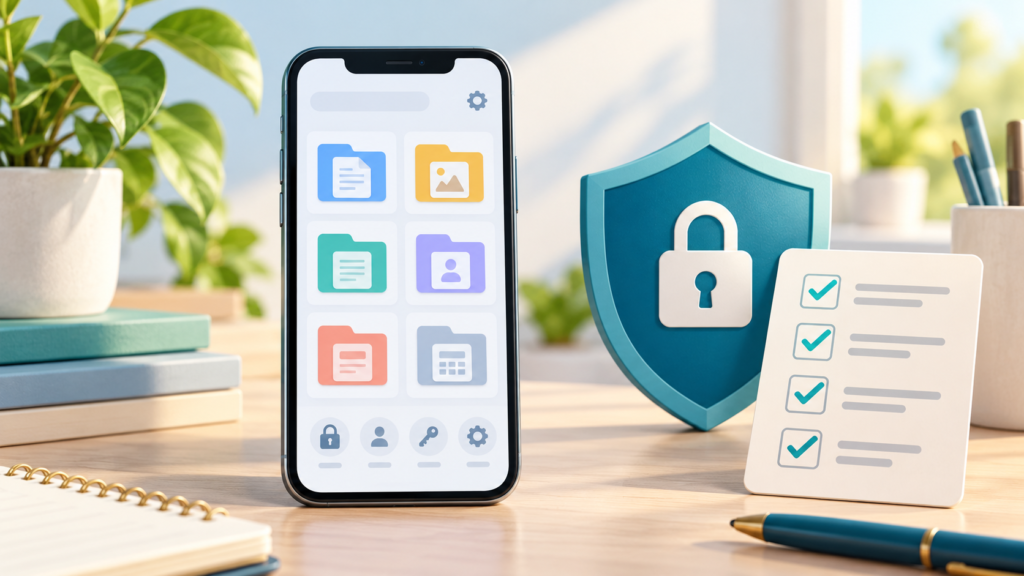
Featured image credit: Original symbolic illustration generated with OpenAI ImageGen for SarkariAsk. It is editorial artwork, not an app screenshot or independent security certification.
Safe Box at a glance
- Listed purpose: keep bank-account details, documents and family information together.
- Offline and encrypted: these are claims in the developer-provided Google Play description. The listing advertises AES-256 encryption, but provides no independent security audit or implementation details.
- Ads: Google Play currently marks the app as containing ads.
- Data safety: the developer disclosure says the app may collect and share device or other IDs, that data is encrypted in transit, and that users cannot request deletion through the listed process.
- Listing update: 30 August 2026 on the Google Play page reviewed on 23 October 2026. App details and disclosures can change by version, region and use.
What the app is designed to help with
The Google Play description presents Safe Box as a personal organizer for bank accounts, documents and family information. That can be useful when you need to look up a non-secret reference detail, but an app listing is not a security audit. Confirm the current app behaviour and privacy policy before relying on it.
The listing advertises offline access and encrypted storage. It names AES-256 as a developer claim, but does not explain where each data type is stored, independently verify the encryption, or guarantee that every feature works without a network connection. Do not treat “offline” as proof that the app collects no technical data: the Data safety section separately reports possible collection and sharing of device or other IDs.
Read the Google Play Data safety details
Google Play displays data-safety information supplied by the developer. At the time of this review, Safe Box’s listing reports that the app may collect and share Device or other IDs, that data is encrypted in transit, and that the developer does not provide a way to request deletion of collected data. These disclosures concern the app’s data practices and may not describe every detail of local storage. Check the live disclosure for the version you install.
Open Safe Box on Google Play · Read Safe Box’s Google Play Data safety disclosure
Practical privacy and security checks
- Install updates only from the official Google Play listing and review the developer and app name.
- Read the in-app privacy policy and Android permission prompts. Allow only permissions that make sense for the feature you use.
- Never store or share your UPI PIN, ATM PIN, CVV, one-time password, net-banking password, or account recovery codes in a notes or locker app.
- Use your phone’s screen lock and keep Android and the app updated. Do not assume that a biometric or separate app lock is available unless the current version visibly offers it.
- Check whether your information is included in a device backup and how it can be removed. The Play disclosure currently says the developer does not provide a deletion request option for collected data.
- For a transfer, verify the beneficiary and account details in your bank’s own app or branch before sending money.
Is Safe Box completely offline?
The developer’s Play description advertises offline use, but the same listing reports possible collection and sharing of device or other IDs. Those statements can refer to different kinds of data: an app may allow access to some saved information offline while still using network services or advertising components. The public listing does not provide enough detail to conclude that all app activity is offline or that no data ever leaves the device.
Does Safe Box use AES-256 encryption?
The current Google Play description and version 1.0.2 release notes advertise AES-256 encryption. That is a publisher claim, not independent proof of the algorithm or its implementation. For a high-confidence technical assessment, consult the developer’s current privacy documentation and an independent security review of the app.
Does Safe Box show ads?
Yes. Google Play currently labels the app “Contains ads.” An earlier version of this article said the opposite; that statement has been corrected.
Related apps and guides
Visit the SarkariAsk Safe Box app page for the publisher’s product information, or browse other Akanksha App Studio apps. These pages are publisher materials; Google Play’s live listing and Data safety disclosure are the current references for store information.
Frequently asked questions
Does the Play Store say Safe Box collects data?
Its current Data safety disclosure says the app may collect and share device or other IDs. Google notes that these details are provided by the developer and can vary with app use, region and age.
Can I use Safe Box to store my bank password or PIN?
No. Never put an ATM PIN, UPI PIN, CVV, OTP, net-banking password or recovery code in this or any general-purpose organizer.
Is the app independently security-certified?
The public Google Play listing reviewed here advertises AES-256 but does not provide an independent security audit or implementation evidence. The developer’s description is not the same as independent verification.
Sources and review note
- Safe Box: Bank Account Manager — Google Play listing
- Google Play Data safety disclosure for Safe Box
Checked on 23 October 2026. Store descriptions and data-safety disclosures are developer-provided and may change. This article summarizes the public listing; it does not certify the app’s security.
2 responses to “Safe Box App Guide: Features, Offline Use and Data Safety”
[…] For a closer look at these tools in action, read our guide on Safe Box app features explained. […]
[…] an in-depth look at how these safeguards work under the hood, you can explore our breakdown of Safe Box app features, which covers local storage mechanics and privacy […]