
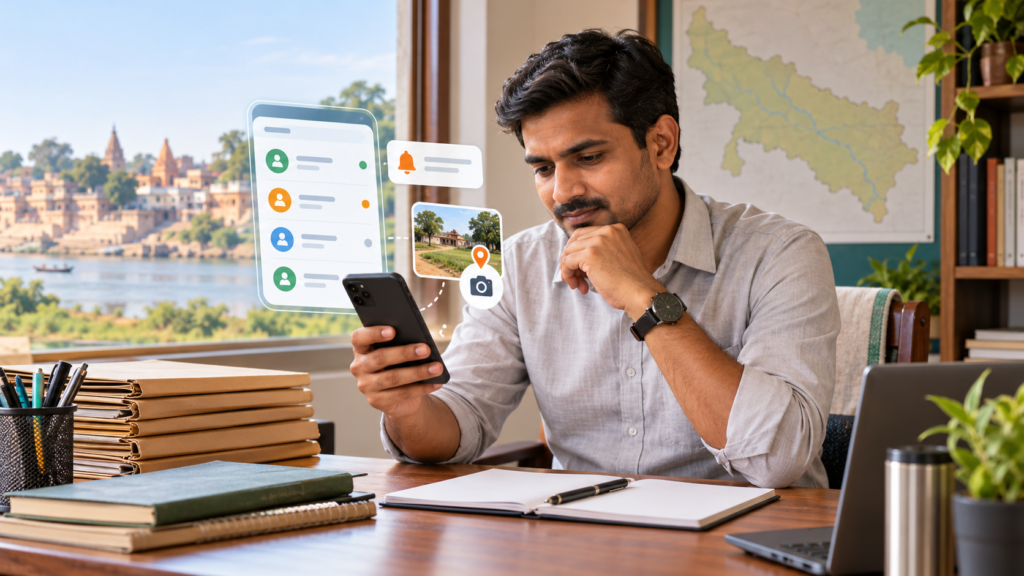
IGRS डायरी: प्रकरण व रिपोर्ट is a private case diary app for keeping case notes, dates, attachments and draft reports together. This feature-by-feature guide explains what the app listing describes, what it does not establish, and how to use the tool responsibly. It is an independent app, not a UP government or IGRS service.
For a short overview, read our IGRS डायरी app introduction. Official public grievance submission and tracking is available through the UP Jansunwai portal.
At a glance: what the app is for
- Keep private case or matter records in one place.
- Add case details, notes/history and important dates.
- Attach supported documents or images, as described in the current Play listing.
- Use the listing-described OCR scan-to-fill flow, then verify every extracted field.
- Prepare report drafts and PDF output using the app’s available templates.
These are record-keeping and drafting tools. The app does not file a government complaint, update an official case status, or guarantee acceptance of a generated report.
1. Create and organise a case record
The listing describes a case diary workflow: enter the matter’s reference and subject, relevant dates, description and notes, then find or update the saved entry when needed. Use consistent titles and dates so that search remains useful.
Practical workflow:
- Open a new case entry and give it a clear, neutral title.
- Add only the information needed for your work.
- Record the date and a brief factual note after each relevant action.
- Use the app’s search or edit options to revisit the record.
A private app record is only your working note; it is not an official register or proof that an authority has acted.
2. Add notes, documents and images
The Google Play description refers to case history/notes and support for common attachments through camera, gallery or file selection. Availability can vary by app version and device. Before relying on an attachment, open it and confirm it is legible and associated with the correct case.
For OCR scan-to-fill, treat extracted names, dates, reference numbers and IDs as unverified text. Compare each value with the original document before saving. OCR can misread Hindi text, handwriting, low-quality scans and similar-looking digits.
Privacy check: case files may contain personal or sensitive information. Use a device screen lock, grant only necessary permissions, avoid sharing exports through public links, and understand your backup settings before saving real complainant/client data.
3. Track dates and reminders
The listing describes reminders for important dates. Add a reminder only after checking the source document or official notice. A phone reminder is a personal prompt; it is not a court notice, government deadline extension, or official acknowledgement.
Review upcoming reminders periodically, especially after a date changes. Update or remove an old reminder so that a stale alert does not mislead you.
4. Prepare a report or PDF draft
The app listing describes report templates for workflows such as IGRS, Tehsil Day and Police Day, plus PDF output that can be previewed or shared. Template names do not mean the app is connected to those departments. A generated PDF is a draft based on the information entered by the user.
- Enter and check the case details and chronology.
- Choose the relevant available template.
- Preview every page, including names, dates, reference numbers and attachments.
- Correct errors in the source record and generate a fresh copy if needed.
- Submit only through the channel prescribed by the relevant authority.
Do not assume a generated document has been submitted or accepted. Follow the receiving office’s current format and instructions.
5. Offline use and privacy disclosures
The developer describes the app as offline-first/local-storage oriented. Google Play’s Data safety section is a developer-provided disclosure, not an independent security audit or a guarantee that data can never leave a device. Check the current listing, app permissions, export/sharing choices and backup behavior on your own device.
For a safer trial, use sample or non-sensitive information first. Keep exported PDFs in a protected location and delete unneeded copies securely.
Who may find this case diary useful?
It may suit lekhpals, revenue staff, advocates or other users who want a private organiser for notes, documents and dates. Suitability depends on your workplace rules and the sensitivity of the records. Do not enter official data unless your department permits use of the app.
Official grievance route versus private diary
If you need to lodge or track a public grievance, use the official UP Jansunwai service and follow its current instructions. IGRS डायरी is a standalone productivity app; it cannot confirm official receipt, disposal, or government action. For land measurement conversions, see our Land Calculator app page.
Frequently asked questions
Is IGRS डायरी an official government app?
No. It is an independent app. The Play listing and publisher information should be checked directly; it is not a government portal.
Can it submit a complaint to IGRS or Jansunwai?
Do not treat the case diary or its PDF export as a submission. Use the official portal or the procedure specified by the department.
Does OCR guarantee accurate form filling?
No. OCR is a convenience feature. Verify every extracted value against the original before saving or sharing.
Can the PDF be treated as an official report?
No automatic approval is implied. Review the file and submit it only through the authority’s prescribed channel and format.
Where can I check the current feature list?
See the IGRS डायरी Google Play listing for the publisher’s current description, compatibility and Data safety disclosures.
Image credit: Original AI-generated featured illustration created for SarkariAsk; no third-party stock image used.
Sources checked 23 October 2026: Google Play listing for IGRS डायरी; UP Jansunwai official portal. App features and disclosures can change; verify the listing and official instructions before use.